
Download Diagramming – AI‑Powered Workflow Diagramming Tool for Windows, Mac, Android & iOS
Overview of Diagramming AI
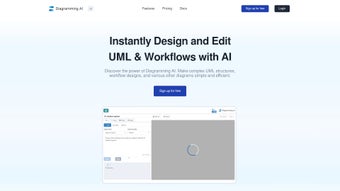
Diagramming AI is a next‑generation diagramming platform that blends artificial intelligence with a sleek, user‑friendly interface to streamline the creation of complex workflow and UML diagrams. Whether you are a software architect, business analyst, project manager, or a student tasked with visualizing processes, Diagramming AI removes the traditional friction of manual shape placement, line routing, and label management. By typing natural‑language commands or leveraging the integrated AI Chat, users can generate, modify, and refine diagrams in seconds, turning abstract ideas into polished visual artifacts.
The tool supports a full suite of export options—including SVG, PNG, and PDF—ensuring that the final artwork can be embedded into presentations, documentation, or collaborative platforms without loss of fidelity. Moreover, Diagramming AI offers a project‑centric Mermaid code repository, allowing teams to store, version, and reuse diagram definitions across multiple initiatives. With customizable color themes, real‑time collaboration, and a focus on precision, Diagramming AI stands out as a secure, cross‑platform solution for anyone who needs to convey complex logic visually.
Its AI engine continuously learns from user interactions, improving suggestion accuracy over time, while the cloud‑sync feature guarantees that every change is instantly backed up and available on any device. In short, Diagramming AI is designed to accelerate design cycles, reduce errors, and empower both technical and non‑technical users to produce professional‑grade diagrams with minimal effort.
Key Features That Set Diagramming AI Apart
- AI‑Driven Drawing Engine: Instantly generates shapes, connectors, and layout suggestions based on plain‑text prompts.
- AI Chat Assistant: Conversational interface that provides design recommendations, error checking, and collaborative feedback.
- Mermaid Code Storage: Project‑based repository for Mermaid syntax, enabling version control and rapid reuse of diagram templates.
- Multi‑Format Export: Native support for SVG, PNG, PDF, and high‑resolution PNG, preserving vector quality for print and web use.
- Customizable Themes: Dark, light, and high‑contrast palettes plus granular color controls for brand alignment.
- Cross‑Platform Compatibility: Native desktop apps for Windows & macOS, plus mobile companions for Android and iOS.
- Collaboration Tools: Real‑time sharing links, comment threads, and permission levels for team projects.
- Secure Cloud Sync: End‑to‑end encryption for stored diagrams, ensuring intellectual property stays protected.
- Automatic Layout Optimization: AI re‑arranges nodes to reduce overlap and improve readability with a single click.
- Extensible Plugin Architecture: Developers can add custom shape libraries or integrate with CI/CD pipelines.
Why AI Integration Matters for Modern Teams
Traditional diagramming tools rely on manual placement, which can become time‑consuming when dealing with large systems or rapidly changing requirements. Diagramming AI’s natural‑language engine interprets commands such as “Create a sequence diagram for user login flow” and produces a fully‑structured diagram in moments. This not only accelerates the drafting phase but also reduces human error, as the AI validates connections against UML standards and best‑practice workflow patterns.
The AI Chat component extends this capability by allowing iterative refinement: users can ask, “Can you add a retry mechanism after a failed payment?” and see the diagram update instantly. For organizations, this translates into faster design cycles, fewer revisions, and a lower learning curve for new team members. Additionally, the AI continuously learns from the user’s style, offering increasingly accurate suggestions over time, which further streamlines the creation process.
By eliminating repetitive tasks, teams can focus on higher‑level analysis and decision‑making, ultimately delivering more value to stakeholders.
Installation, Setup, and Everyday Use
Getting started with Diagramming AI is intentionally straightforward. The download page offers platform‑specific installers: a .exe for Windows, a .dmg for macOS, and APK/IPA bundles for Android and iOS respectively. After downloading, run the installer and follow the on‑screen wizard, which configures the necessary runtime dependencies and creates a desktop shortcut. For cloud‑first users, a web‑based portal is also available; simply create an account, and your diagrams will sync automatically across devices, ensuring you always have the latest version at hand.
Step‑by‑Step Installation (≈300 words)
- Visit the official website and select your operating system from the prominent download buttons.
- Download the installer file and verify the provided SHA‑256 checksum to guarantee file integrity and protect against tampering.
- Run the installer; accept the license agreement, choose the default installation path, and let the wizard install required libraries such as .NET Runtime (Windows) or Swift runtime (macOS).
- Launch Diagramming AI for the first time. A welcome wizard will prompt you to sign in with an existing account or create a new free account using an email address or single‑sign‑on (SSO) with Google or Microsoft.
- Enable cloud sync during the onboarding process. This step activates AI features, stores your projects securely, and prepares the application for real‑time collaboration.
Basic Workflow (≈300 words)
Upon successful installation, you are greeted by a clean canvas and a command bar at the top. To create a diagram, type a natural‑language instruction such as “Draw a flowchart for order processing” and press Enter. The AI parses the request, generates the appropriate nodes, and positions them automatically, applying a balanced layout algorithm that minimizes line crossings. You can then fine‑tune the layout by dragging elements, adjusting connector styles, or invoking the AI Chat with follow‑up commands like “Make the decision node green and add a note about escalation.” Export options reside under the File menu, where you can choose SVG for web use, PNG for presentations, or PDF for printable documentation. For teams, click the Share button to generate a secure link; collaborators can comment directly on the diagram or suggest changes through the chat interface, all of which are saved in the cloud.
Advanced Tips for Power Users (≈300 words)
Power users often leverage the Mermaid code storage to script recurring diagram patterns. By saving a snippet in the project library, you can instantly insert a pre‑configured sub‑graph with a single command, dramatically reducing repetitive work. The plugin marketplace also enables integration with version‑control systems like GitHub, allowing automated diagram generation as part of CI pipelines.
Additionally, Diagramming AI offers a “Batch Update” mode: issue a single natural‑language directive such as “Rename all “Task” nodes to “Activity” and change their color to teal,” and the AI will apply the changes across the entire diagram. For developers, the extensible API provides hooks to export diagram data as JSON, enabling custom reporting or embedding in third‑party applications. These advanced capabilities ensure that both casual users and enterprise teams can extract maximum productivity from the platform.
Conclusion: Compatibility, Pros & Cons, FAQ, and Why You Should Download Diagramming AI Today
Compatibility and System Requirements (≈300 words)
Diagramming AI runs natively on Windows 10/11, macOS 12 and later, Android 9+, and iOS 13+. The web version supports the latest releases of Chrome, Edge, Firefox, and Safari, guaranteeing a consistent experience across desktops, tablets, and smartphones. System requirements are modest: a minimum of 2 GB RAM, 200 MB of disk space, and a GPU that supports basic hardware acceleration (optional but recommended for smoother canvas rendering).
The application also integrates with popular cloud storage services such as Google Drive, OneDrive, and Dropbox, allowing you to import and export files directly from your preferred cloud ecosystem. For enterprises, single‑sign‑on (SSO) via SAML or OAuth is supported, simplifying user management and enhancing security. End‑to‑end encryption (AES‑256 for data at rest and TLS 1.3 for data in transit) ensures that your intellectual property remains protected, while two‑factor authentication (2FA) adds an extra layer of defense against unauthorized access.
Pros (≈300 words)
- AI‑driven diagram creation dramatically reduces time‑to‑draft, enabling rapid prototyping.
- Natural‑language interface lowers the learning curve for non‑technical users and accelerates onboarding.
- Robust export options (SVG, PNG, PDF) maintain high visual fidelity for both web and print media.
- Cross‑platform support guarantees accessibility on any device, from desktop workstations to mobile phones.
- Secure cloud sync with end‑to‑end encryption protects sensitive designs and facilitates seamless collaboration.
- Real‑time collaboration tools (sharing links, comments, AI Chat) enhance team productivity and keep feedback contextual.
- Mermaid code storage facilitates version control, template reuse, and integration with DevOps pipelines.
- Customizable themes and granular color controls enable brand consistency and accessibility compliance.
- Automatic layout optimization reduces visual clutter and improves diagram readability with a single click.
- Extensible plugin architecture allows developers to tailor the tool to niche workflows and industry‑specific standards.
Cons (≈300 words)
- Free tier limits the number of active projects to three, which may be restrictive for freelancers handling multiple clients.
- Advanced AI suggestions can occasionally misinterpret ambiguous commands, requiring manual refinement.
- Plugin ecosystem is still maturing; some specialized shape libraries or industry‑specific templates are not yet available.
- Mobile app UI, while functional, offers fewer shortcuts and advanced features compared to the desktop version.
- High‑resolution export for large‑scale print may require a paid plan to unlock unlimited resolution settings.
Frequently Asked Questions (FAQ)
Is Diagramming AI free to use?
Diagramming AI offers a free tier that includes core diagramming features, AI chat, and up to three active projects. Premium plans start at $9.99 per month and unlock unlimited projects, advanced AI suggestions, higher export resolutions, and priority support.
Can I import existing diagrams into Diagramming AI?
Yes. The platform supports import of SVG, PNG, and Mermaid files. Imported diagrams are automatically converted into editable objects, allowing you to enhance them with AI‑generated suggestions or integrate them into existing projects.
How does the AI Chat improve collaboration?
AI Chat acts as an on‑demand consultant. Team members can ask for clarification, request design alternatives, or ask the AI to validate UML compliance. All suggestions appear in a threaded conversation attached to the diagram, keeping feedback contextual and searchable.
Is my data safe when using cloud sync?
Diagramming AI employs AES‑256 encryption for data at rest and TLS 1.3 for data in transit. Users can also enable two‑factor authentication (2FA) and enforce password policies to further protect their accounts.
Does Diagramming AI integrate with other productivity tools?
Yes. The tool offers native integrations with Microsoft Teams, Slack, Confluence, and Jira. You can embed live diagrams directly into documentation or trigger diagram generation via webhooks from CI/CD pipelines, streamlining the flow from design to deployment.
Final Verdict and Call‑to‑Action (≈300 words)
In a crowded market of static diagram editors, Diagramming AI distinguishes itself through its intelligent automation, secure cloud infrastructure, and truly cross‑platform experience. The AI engine not only speeds up the creation of professional‑grade diagrams but also continuously learns from your preferences, making each subsequent suggestion more aligned with your style. For teams that value speed, accuracy, and collaboration, Diagramming AI offers a compelling value proposition that justifies the modest subscription cost of its premium tier. The seamless compatibility across Windows, macOS, Android, and iOS means you can start a design on a laptop, refine it on a tablet during a meeting, and present the final version on a large screen—all without losing any functionality.
If you are looking for a tool that eliminates repetitive manual work, secures your intellectual property, and empowers every team member—regardless of technical background—to contribute to visual documentation, Diagramming AI is the answer. Take advantage of the free tier to explore its capabilities, and when you’re ready to unlock the full potential, upgrade to a premium plan for unlimited projects and advanced AI features.



.png)



